

 摘要:
ZXing.Delphi:Delphi/Pascal平台上的全能条码处理库 项目概述 ZXing.Delphi 是著名开源条码处理库 ZXing(”Zebra Crossing”)...
摘要:
ZXing.Delphi:Delphi/Pascal平台上的全能条码处理库 项目概述 ZXing.Delphi 是著名开源条码处理库 ZXing(”Zebra Crossing”)... 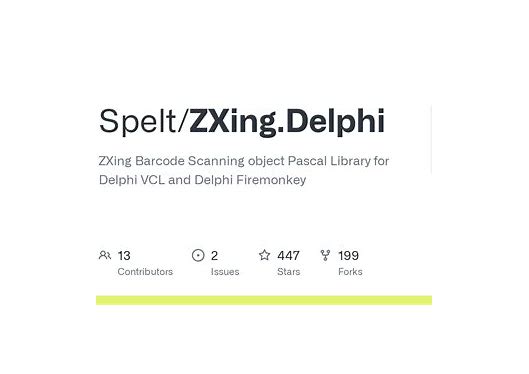
ZXing.Delphi:Delphi/Pascal平台上的全能条码处理库
项目概述
ZXing.Delphi 是著名开源条码处理库 ZXing(”Zebra Crossing”)的 Delphi/Pascal 移植版本。该项目将 Java 原版的强大条码生成与识别功能完整地带到了 Delphi 和 Free Pascal 开发环境中,让 Pascal 开发者能够轻松地在应用程序中集成一维码和二维码处理能力。
核心特性
1. 广泛的条码格式支持
一维码:UPC-A、UPC-E、EAN-8、EAN-13、Code 39、Code 93、Code 128、ITF、Codabar
二维码:QR Code、Data Matrix、Aztec、PDF417、MaxiCode
其他格式:RSS-14、RSS-Expanded
2. 跨平台兼容性
支持 Delphi 7 及以上版本
兼容 Free Pascal/Lazarus
可在 Windows、macOS、Linux 等多平台运行
支持 VCL、FMX 和 LCL 等多种 UI 框架
3. 双向功能
条码识别:从图像文件、位图、摄像头流中读取和解码条码
条码生成:将文本数据编码为各种格式的条码图像
安装与配置
通过 GetIt 安装(Delphi 10.3+)
打开 Delphi IDE
选择 Tools → GetIt Package Manager
搜索 “ZXing.Delphi”
点击安装
手动安装
克隆项目到本地:
git clone https://github.com/Spelt/ZXing.Delphi.git
将源码目录添加到 Delphi 的库路径
在项目中添加必要的单元引用
实用示例
示例 1:生成二维码
uses
  ZXing.BarcodeFormat, ZXing.EncodeHintType, ZXing.QrCode.Internal,
  ZXing.Renderer, Vcl.Graphics;

procedure GenerateQRCode(const Text: string; Bitmap: TBitmap);
var
  QRCodeWriter: TQRCodeWriter;
  EncodeHints: TDictionary<TEncodeHintType, TObject>;
  BitMatrix: IBitMatrix;
  Width, Height: Integer;
begin
  // 创建二维码编码器
  QRCodeWriter := TQRCodeWriter.Create;
  try
    // 设置编码参数
    EncodeHints := TDictionary<TEncodeHintType, TObject>.Create;
    try
      EncodeHints.Add(TEncodeHintType.CHARACTER_SET, 'UTF-8');
      EncodeHints.Add(TEncodeHintType.ERROR_CORRECTION,
        TErrorCorrectionLevel.Create(TErrorCorrectionLevel.M));

      // 生成位矩阵
      BitMatrix := QRCodeWriter.encode(Text,
        TBarcodeFormat.QR_CODE, 300, 300, EncodeHints);

      // 渲染到位图
      Width := BitMatrix.Width;
      Height := BitMatrix.Height;
      Bitmap.SetSize(Width, Height);

      // 绘制二维码
      for var y := 0 to Height - 1 do
        for var x := 0 to Width - 1 do
        begin
          if BitMatrix[x, y] then
            Bitmap.Canvas.Pixels[x, y] := clBlack
          else
            Bitmap.Canvas.Pixels[x, y] := clWhite;
        end;
    finally
      EncodeHints.Free;
    end;
  finally
    QRCodeWriter.Free;
  end;
end;
示例 2:识别图像中的条码
uses
  ZXing.ScanManager, ZXing.BarcodeFormat, ZXing.ResultPoint,
  Vcl.Graphics, System.SysUtils;

function DecodeBarcodeFromFile(const FileName: string): string;
var
  Bitmap: TBitmap;
  ScanManager: TScanManager;
  Result: TReadResult;
  Formats: TBarcodeFormatSet;
begin
  Result := '';

  if not FileExists(FileName) then
    Exit;

  Bitmap := TBitmap.Create;
  try
    Bitmap.LoadFromFile(FileName);

    // 设置要识别的条码格式
    Formats := [TBarcodeFormat.QR_CODE,
                TBarcodeFormat.CODE_128,
                TBarcodeFormat.EAN_13];

    // 创建扫描管理器
    ScanManager := TScanManager.Create(Formats, nil);
    try
      // 尝试解码
      Result := ScanManager.Scan(Bitmap);

      if Assigned(Result) then
      begin
        // 获取解码结果
        Result := Result.Text;

        // 可选:获取条码位置点
        if Result.ResultPoints <> nil then
        begin
          for var Point in Result.ResultPoints do
          begin
            // 处理每个识别点
            WriteLn(Format('Point: (%.2f, %.2f)',
              [Point.x, Point.y]));
          end;
        end;
      end;
    finally
      ScanManager.Free;
      if Assigned(Result) then
        Result.Free;
    end;
  finally
    Bitmap.Free;
  end;
end;
示例 3:生成带Logo的二维码
procedure GenerateQRCodeWithLogo(const Text: string;
  LogoFile: string; OutputBitmap: TBitmap);
var
  QRCodeBitmap: TBitmap;
  LogoBitmap: TBitmap;
  X, Y: Integer;
begin
  // 先生成基础二维码
  QRCodeBitmap := TBitmap.Create;
  try
    GenerateQRCode(Text, QRCodeBitmap);

    // 加载Logo
    LogoBitmap := TBitmap.Create;
    try
      if FileExists(LogoFile) then
      begin
        LogoBitmap.LoadFromFile(LogoFile);

        // 调整Logo大小(约为二维码的1/5)
        LogoBitmap.Width := QRCodeBitmap.Width div 5;
        LogoBitmap.Height := QRCodeBitmap.Height div 5;

        // 计算Logo位置(居中)
        X := (QRCodeBitmap.Width - LogoBitmap.Width) div 2;
        Y := (QRCodeBitmap.Height - LogoBitmap.Height) div 2;

        // 合并图像
        OutputBitmap.Assign(QRCodeBitmap);
        OutputBitmap.Canvas.Draw(X, Y, LogoBitmap);
      end
      else
      begin
        OutputBitmap.Assign(QRCodeBitmap);
      end;
    finally
      LogoBitmap.Free;
    end;
  finally
    QRCodeBitmap.Free;
  end;
end;
高级功能
1. 摄像头实时扫描
ZXing.Delphi 支持通过摄像头进行实时条码扫描,特别适合开发零售、库存管理等应用:
uses
  ZXing.ScanManager, ZXing.DecodeHintType;

procedure SetupCameraScanner;
var
  Camera: TCameraComponent;
  ScanManager: TScanManager;
  Hints: TDecodeHintType;
begin
  Camera := TCameraComponent.Create(nil);
  ScanManager := TScanManager.Create(TBarcodeFormat.QR_CODE, Hints);

  Camera.OnSampleBufferReady :=
    procedure(Sender: TObject; const ATime: TMediaTime)
    begin
      // 处理摄像头帧并尝试解码
      var Frame := Camera.SampleBufferToBitmap(nil);
      var Result := ScanManager.Scan(Frame);
      if Assigned(Result) then
      begin
        // 处理解码结果
        ProcessBarcodeResult(Result.Text);
      end;
    end;
end;
2. 批量条码生成
procedure GenerateBarcodeBatch(const DataList: TStringList;
  Format: TBarcodeFormat; OutputDir: string);
var
  Writer: IBarcodeWriter;
  Bitmap: TBitmap;
begin
  Writer := TBarcodeWriter.Create;
  Writer.Format := Format;

  for var i := 0 to DataList.Count - 1 do
  begin
    Bitmap := Writer.Write(DataList[i]);
    try
      Bitmap.SaveToFile(
        IncludeTrailingPathDelimiter(OutputDir) +
        'barcode_' + IntToStr(i) + '.bmp');
    finally
      Bitmap.Free;
    end;
  end;
end;
性能优化建议
图像预处理:在识别前对图像进行灰度化、二值化处理
区域限制:如果知道条码的大致位置,可以限制扫描区域
格式过滤:只启用需要的条码格式以提升识别速度
缓存机制:对频繁生成的相同内容条码使用缓存
实际应用场景
企业应用
库存管理系统:使用 PDA 或手机扫描商品条码
文档管理:为文档生成唯一标识二维码
门禁系统:二维码访客通行证
移动应用
电子票务:生成和验证活动门票
支付系统:生成支付二维码
产品溯源:扫描产品二维码查看详细信息
桌面应用
标签打印软件:批量生成商品标签
数据采集系统:通过扫描枪输入数据
资产管理系统:为设备生成资产标签
项目优势
成熟稳定:基于久经考验的 ZXing 库
完全开源:遵循 Apache License 2.0 协议
活跃维护:定期更新,修复问题
文档完善:提供详细的使用示例和 API 文档
社区支持:拥有活跃的用户社区和问题讨论区
结语
ZXing.Delphi 为 Pascal 开发者提供了一个强大、可靠的条码处理解决方案。无论是需要简单的二维码生成,还是复杂的多格式条码识别系统,这个库都能满足需求。其跨平台特性和丰富的功能集使其成为 Delphi/Pascal 生态系统中条码处理的首选工具。
通过本文介绍的示例代码,开发者可以快速上手并集成到自己的项目中,为应用程序增添专业的条码处理能力。随着物联网和移动应用的普及,条码技术的应用场景只会越来越广泛,掌握 ZXing.Delphi 的使用将为你的项目带来重要价值。





还没有评论,来说两句吧...